
If you have registered multiple domains, you can update their contact information simultaneously through your billing dashboard. Follow these steps:
- Log into your billing dashboard: https://my.epichoster.com/clientarea.php
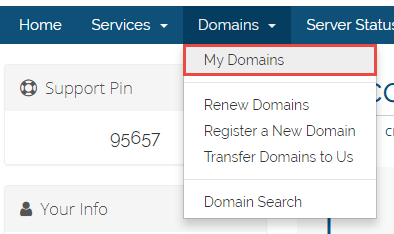
- Navigate to Domains > My Domains.
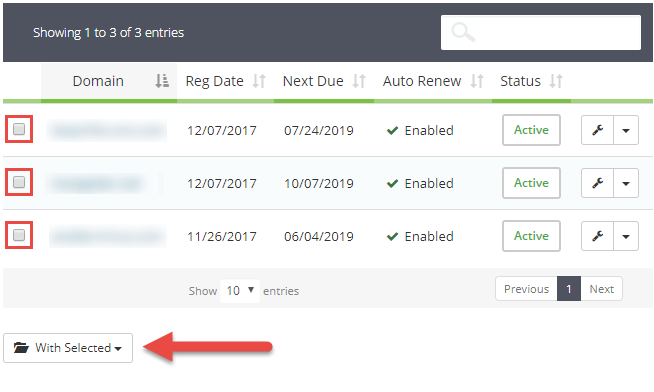
- Check the boxes next to the domains you wish to update.
- Click the With Selected drop-down menu.
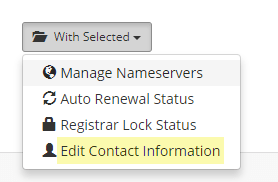
- Select Edit Contact Information.
A new page will appear where you can update the contact information for the selected domains.
- Enter the updated information.
- Click the Save Changes button at the bottom of the page.
If you have any questions or need further assistance, please don't hesitate to contact our support team.
Get the Best Hosting Experience with EpicHoster!
Upgrade your website hosting to EpicHoster and enjoy top-notch performance, personalized support, and unbeatable deals. Visit EpicHoster.com to check out our latest plans and promotions. Don't miss out on the best hosting service in the world!