
Easily update your domain's nameservers with EpicHoster! Follow these steps:
-
Login to Your Secure Client Area: Visit https://my.EpicHoster.com/clientarea.php and log in.
-
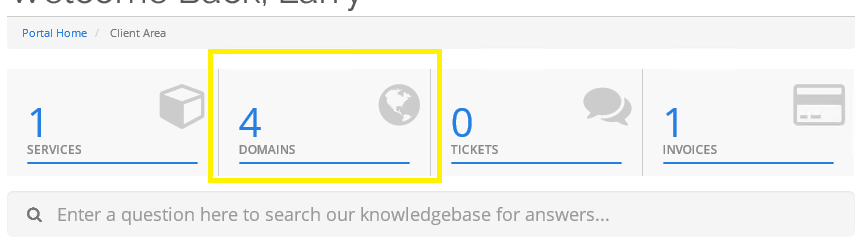
Access Your Domain Settings: Select the "Domains" heading after logging in.
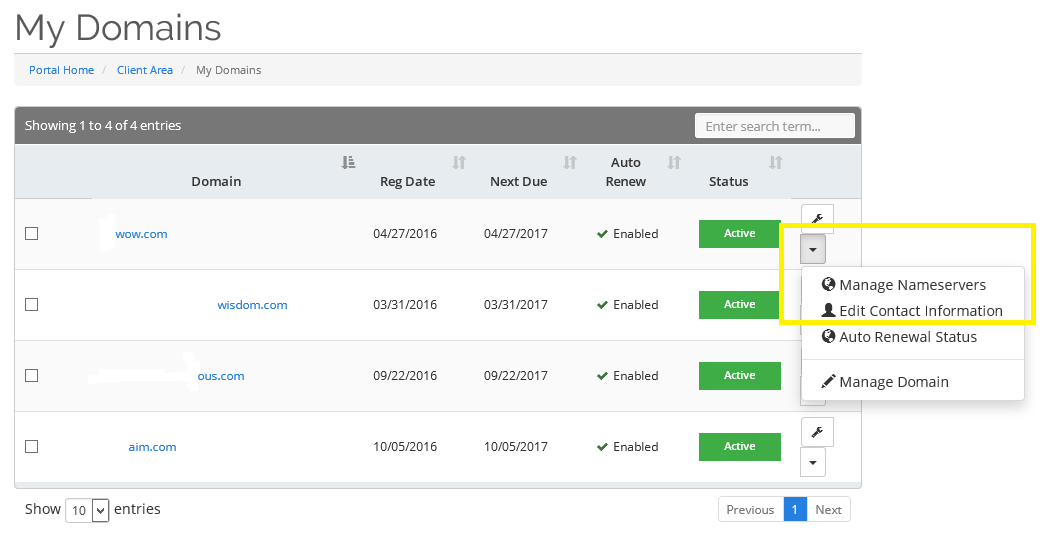
- Choose the Domain: Pick the domain you wish to update and click the down arrow.
- Customize Nameservers: Opt for custom nameservers and input your desired nameservers.
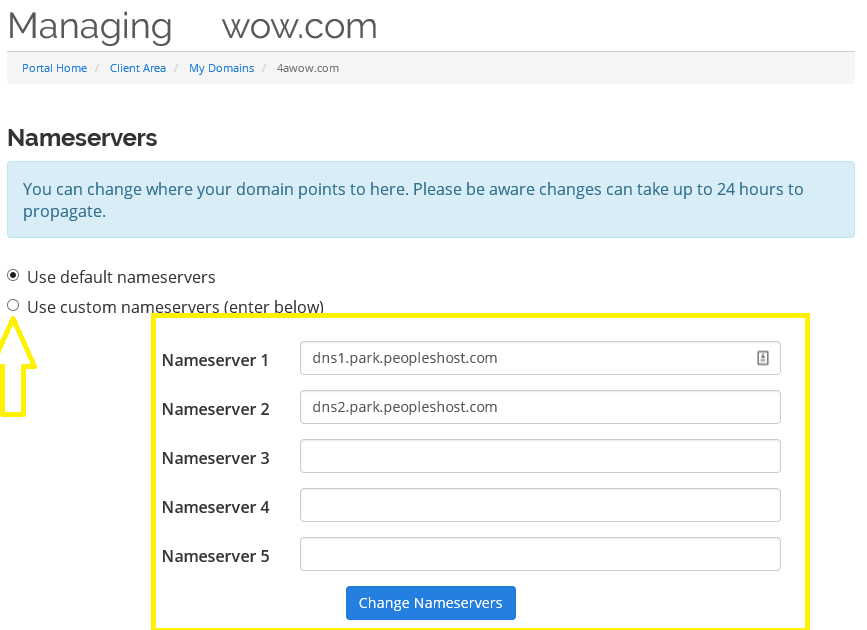
- Save Changes: Once done, save your changes and allow 12-24 hours for the DNS to propagate.
If you encounter any difficulties with your domain resolving correctly, reach out to our support team for assistance.
Take full control of your domain's destiny with EpicHoster! Easily update your nameservers and enjoy seamless performance for your online presence. Dive into a world of hassle-free domain management today at Epichoster.com!